The app
Track your bowling speed with YORKER AI
Put your iPhone on a tripod behind the bowler's end and bowl as normal. YORKER AI picks up every delivery on its own and gives you its bowling speed in mph or km/h, with its line, length, swing, spin, 3D trajectory and a clip to watch back. Batters get the same on every ball bowled to them. You never tap the screen between balls.
How does the bowling speed app work?
A neural network trained on cricket footage finds the ball in every frame. The app recognises the pitch and stumps and builds a 3D scene of your net from them. A physics simulation then recreates the ball's 3D trajectory, and your bowling speed is read from that trajectory.
- Find the ballA neural network trained on cricket footage picks out the ball in every frame of video, 60 frames a second.
- Build a 3D scene of the netThe app recognises the pitch and the stumps at both ends. The stumps are 22 yards apart, which gives the scene its scale and tells the app where the phone is and which way it points.
- Recreate the trajectoryA physics simulation, with gravity, air resistance and the bounce, finds the one 3D path from release to the batter that matches where the ball was seen in every frame.
- Read the numbersBowling speed, line, length, bounce, swing and spin are all read from that 3D trajectory. The speed you see is release speed, how fast the ball left the hand.
One 130 km/h ball, in numbers
At 60 frames a second, each frame lasts 1 ÷ 60 s = 16.7 ms.
130 km/h is 130 ÷ 3.6 = 36.1 m/s, or 130 ÷ 1.609 = 81 mph.
Between two frames the ball travels 36.1 ÷ 60 = 0.60 m.
Even the full 22 yards takes only 20.12 ÷ 36.1 = 0.56 s, about 33 frames.
Bowling speed is distance along the path divided by the time it took, so the app needs both: the frames give the time, and the 22-yard pitch gives the distance. Our guide on how ball tracking works goes through each step in more detail.
What does the bowling speed app track on every ball?
Bowling speed at release in mph or km/h, line and length, where the ball bounced, swing, spin, release height, the ball's 3D trajectory and a clip of the delivery. Every ball is saved to the session, so you can filter by bowling speed, line and length afterwards and follow your trend across a season.
One delivery, as the app records it
- Bowling speedRelease speed, in mph or km/h
- Line and lengthWhere it was heading and where it pitched
- Swing and spinSwing in the air and turn off the pitch
- ReleaseRelease height
- 3D trajectoryThe ball's flight in 3D, replayed from any angle
- ClipThe delivery on video, ready to share
- BattingThe same on every ball bowled to the batter
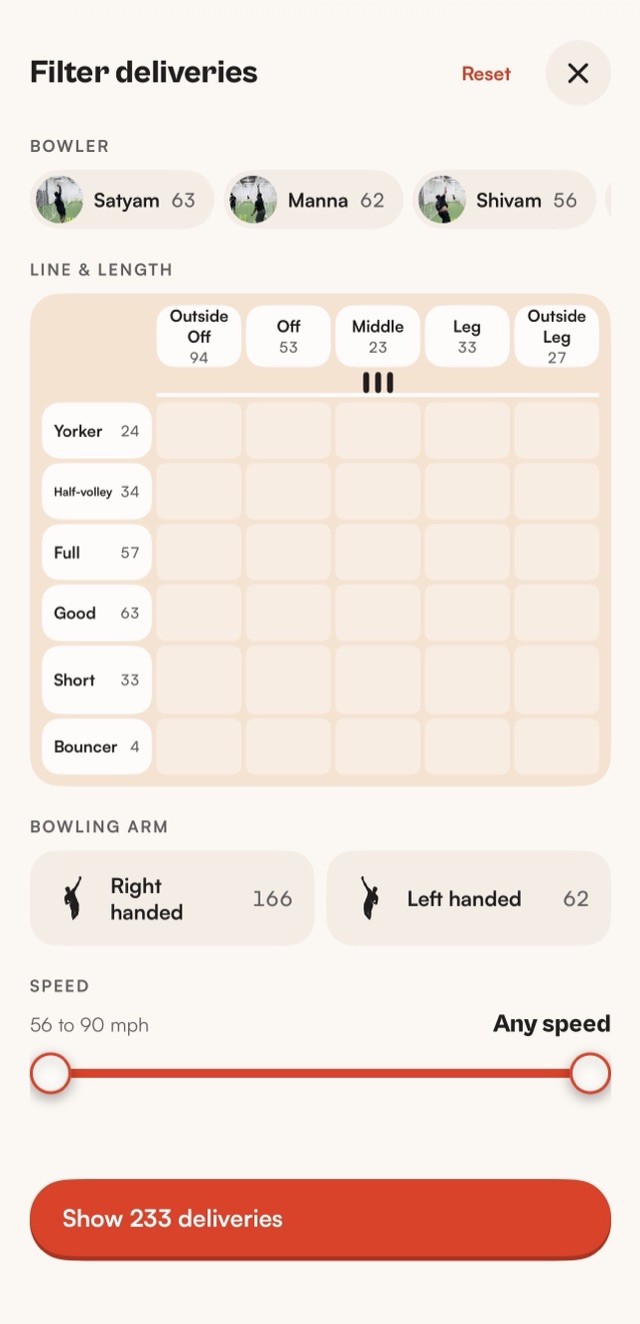
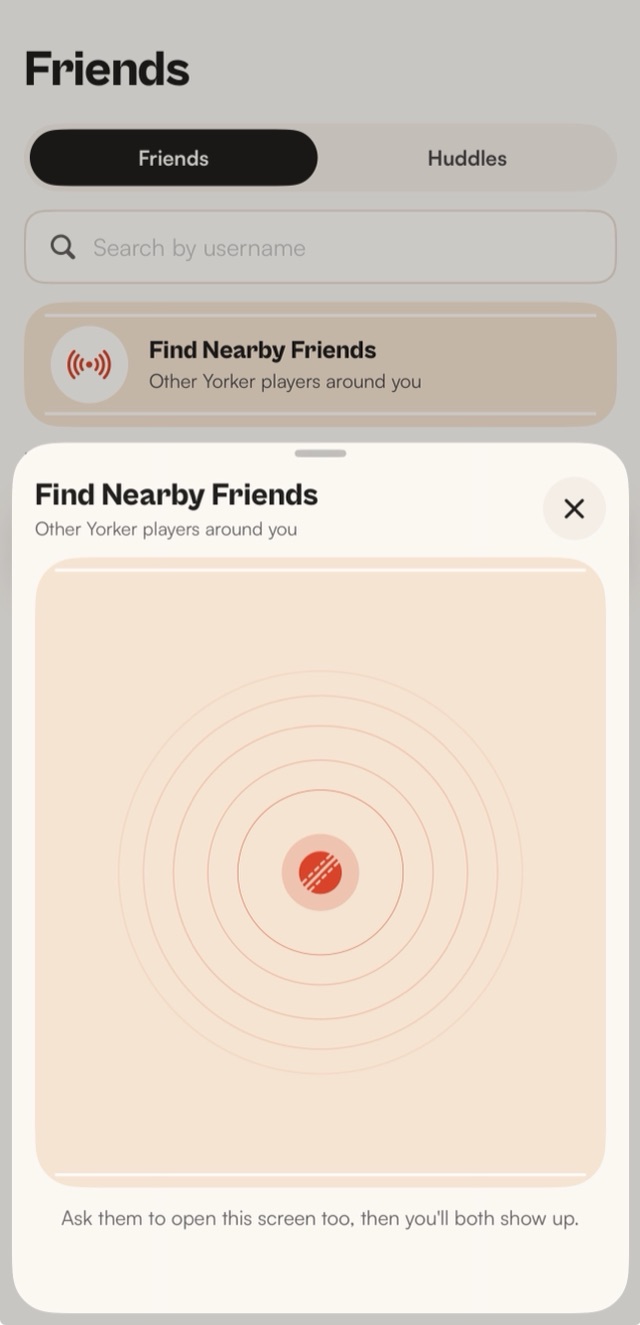
Clips can be cut into a film with the numbers burned in, and if you train with friends, a Huddle keeps everyone's sessions in one place.
Can your phone check your bowling speed?
Yes. With YORKER AI on a tripod behind the bowler's end, your iPhone checks the bowling speed of every ball in the net. It measures each delivery on its own, so nobody has to hold it, aim it or press a button between balls.
The phone you already own is the simplest bowling speed checker to take to the nets: no extra kit and nothing to plug in. The speed is read from the ball's 3D trajectory, and the same ball comes with its line, length, swing, spin and a clip.
Which bowling speed does the app show?
Release speed: how fast the ball was going as it left your hand. The ball is at its fastest then. It slows a little through the air and loses more off the bounce, so it always reaches the batter slower than it was bowled.
Release speed is the number to track, because your run-up and action decide it. YORKER AI shows it in mph or km/h, whichever you prefer. To convert, 1 mph is 1.609 km/h, so 80 mph × 1.609 = 129 km/h.
How do I set up the bowling speed app in the nets?
You need an iPhone 12 or later on iOS 18 or later, a tripod and a full-length pitch with stumps at both ends. Put the phone behind the bowler's end, line up both sets of stumps on screen and start the session. It takes about thirty seconds.
- Phone on a tripod behind the bowler's endIn line with the middle of the pitch, in portrait, with your last few strides and both sets of stumps in view.
- Line up the stumpsGet the batter's stumps in the far box and the bowler's stumps in the near box, then calibrate. This is how the app builds its 3D scene of the net.
- Bowl as normalEach delivery is picked up, measured and clipped on its own. Leave the phone alone until you've finished.
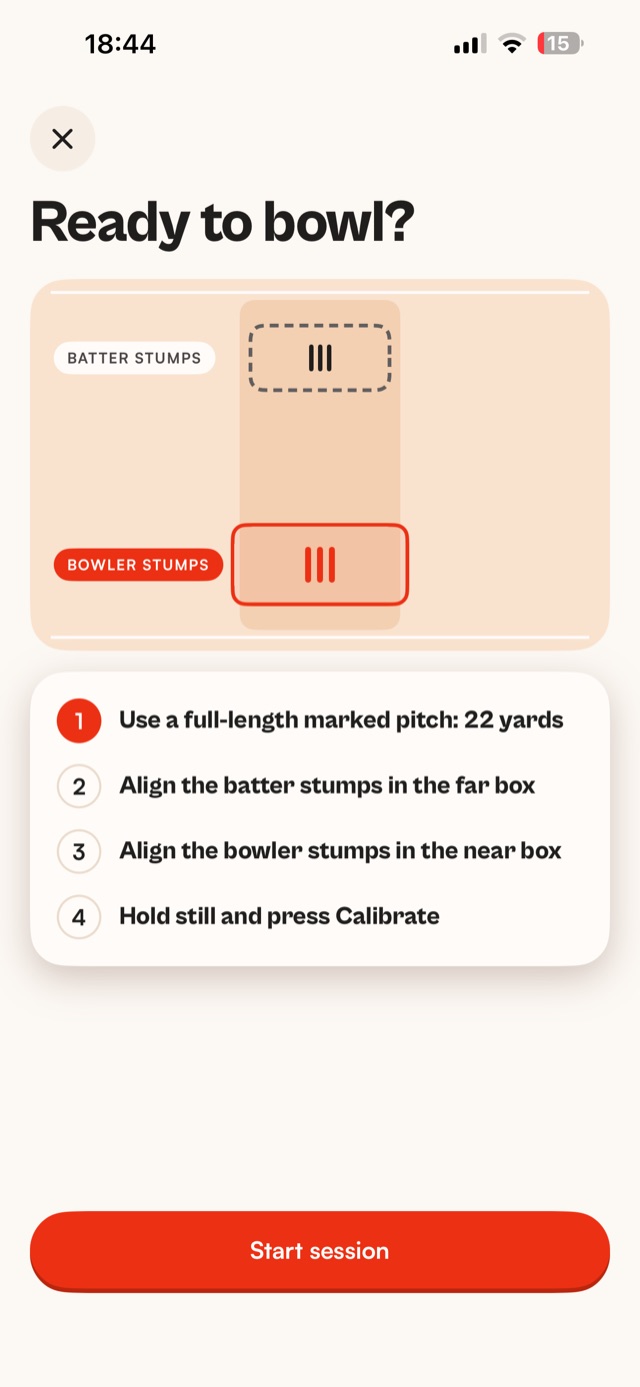
Our guide to phone tripod setup in the nets covers height, light and the mistakes that spoil footage.
How do I test my bowling speed?
Bowl a proper session, not one ball. Warm up, set the phone up behind the bowler's end, then bowl a few sets at full effort while you're fresh. YORKER AI checks the bowling speed of every ball, so one test shows your quickest ball and your typical pace.
Keep the test fair: the same run-up, the same ball and the same net each time, so one bowling speed test is worth comparing with the next. Every session is saved, so you can put this month's test beside last month's. Our guide on how to increase bowling speed covers what to work on in between.
How is a speed gun app different from a radar speed gun?
A radar speed gun needs someone to hold it and aim it at each ball. YORKER AI films from a tripod and measures every ball on its own, with line, length, bounce, swing, spin, release height and a clip of each one. Our cricket speed gun guide covers the radar side.
Does it do batting analysis?
Yes. Record your own net with the phone behind the bowler's end and every ball bowled to you is tracked: bowling speed, line, length, swing, spin, 3D trajectory and a clip, with a 3D view from the batter's end. Full batting analytics are coming soon.
Pick a bowler and a type of ball, say a good length outside off, and watch how you played each one. Our guide to batting analysis in the nets covers the setup.
Does it work offline?
Yes. Tracking and measuring run on the iPhone, so every ball is measured as you bowl, signal or not. You only need an internet connection to sync: clips and results are saved on the phone and upload to your account on their own once you're back online.
Does it work for spin bowling?
Yes. Spinners get their bowling speed like anyone else, plus spin: how far the ball turned off the pitch, where it bounced and its release height. Replay its 3D trajectory from above or from the batter's end and see the turn for yourself.
Read next
- Guide · 5 min readHow to measure bowling speed with your phoneSet up, bowl, and the sums behind every reading.Read the guide
- Guide · 4 min readCricket speed gun or a speed gun app?How a radar gun reads a ball, and how a phone app does it.Read the guide
- Guide · 7 min readHow does ball tracking work in cricket?A neural network, a 3D scene of the pitch and a physics simulation.Read the guide
- DRSDRS app for cricketMake the call, then let the ball settle it.Read more
Get it first
YORKER AI is coming to the App Store for iPhone. Join the waitlist and we'll email you when it's live.