The app
A DRS app for cricket, on your phone
Out or not out? In the nets there's no third umpire, so the argument usually goes to whoever shouts loudest. YORKER AI is a DRS cricket app that settles it with LBW ball tracking from one iPhone: you make the call, the app checks the ball, and the decision comes with a 3D replay.
How does the DRS app work?
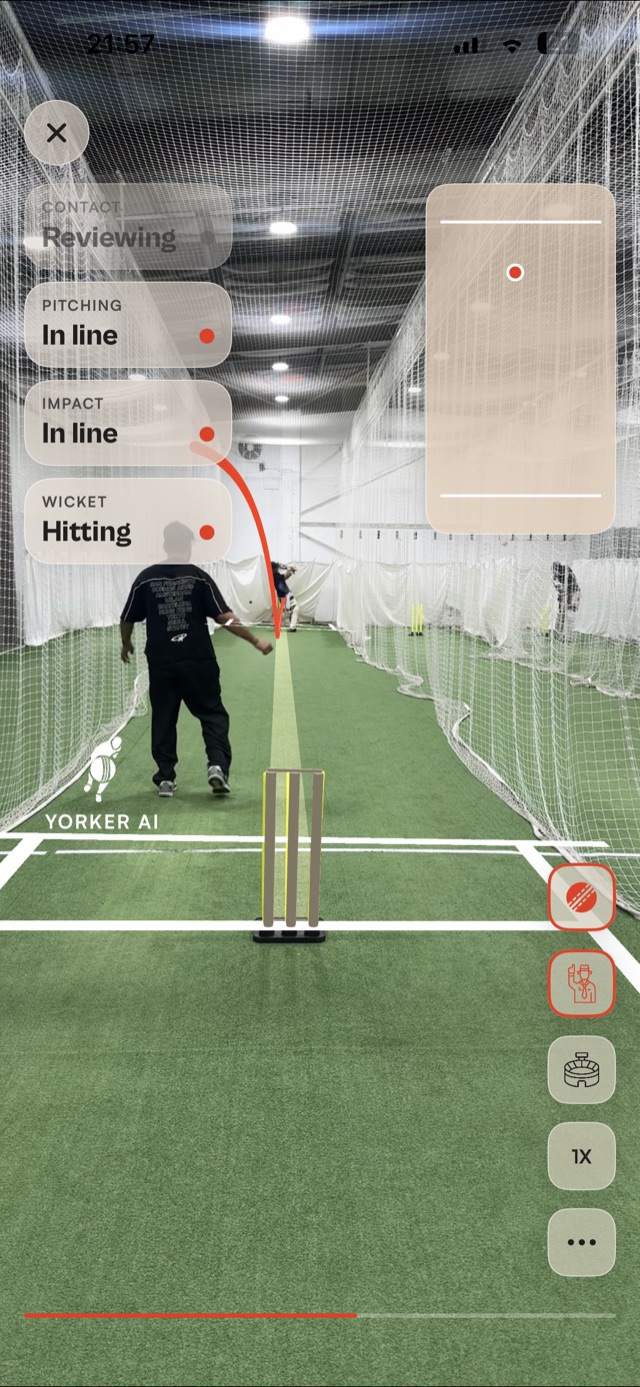
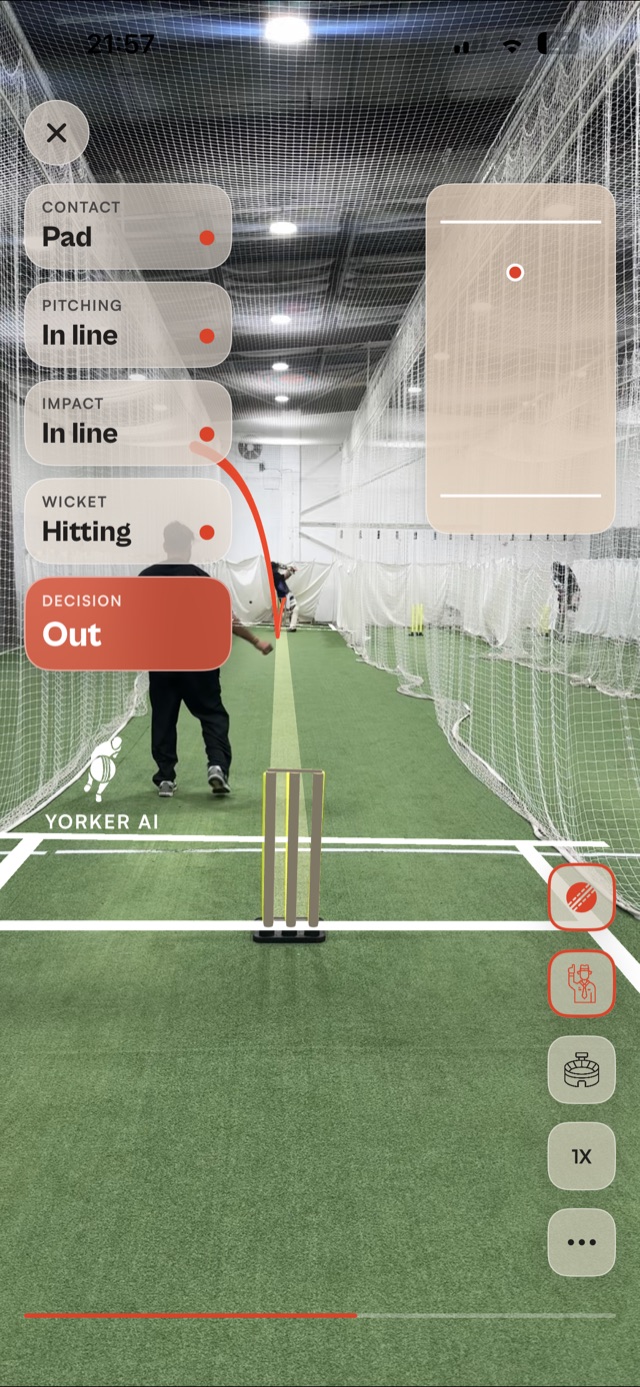
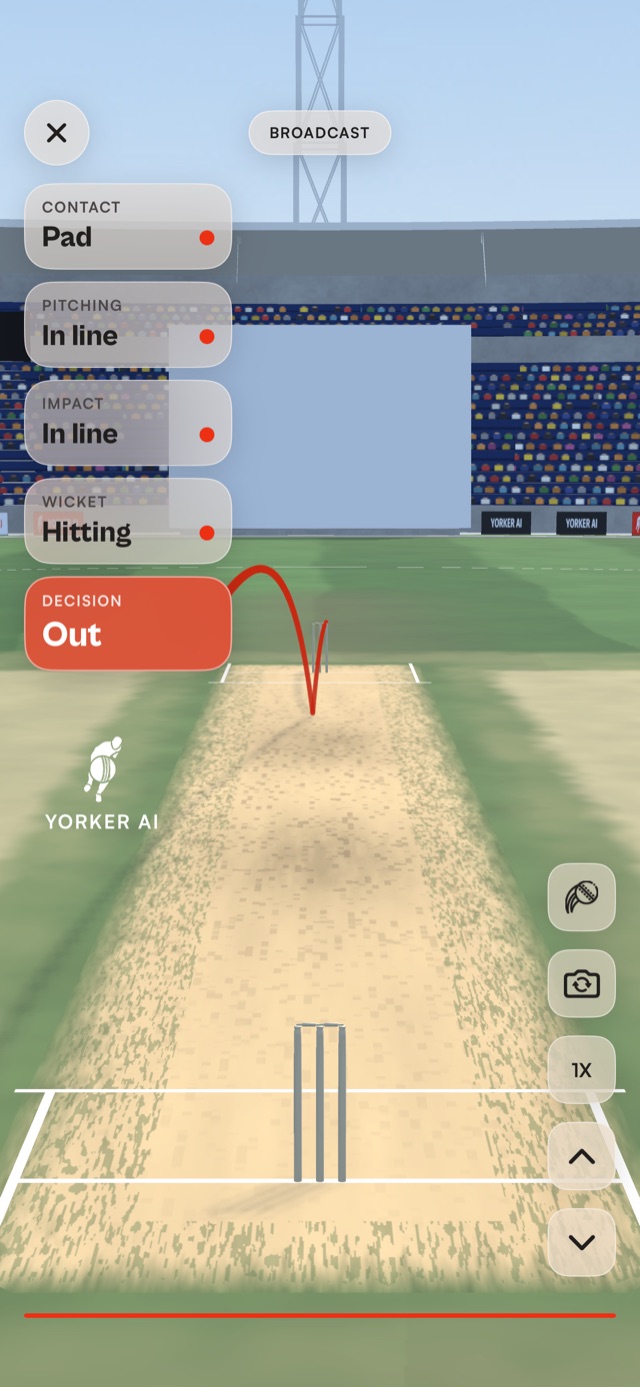
There are four steps. You make the call first, out or not out. YORKER AI then reviews the ball over the replay, checking contact, pitching, impact and wicket one at a time. The decision lands once every check is in, and the whole review plays back in a 3D stadium with the ball's path drawn.
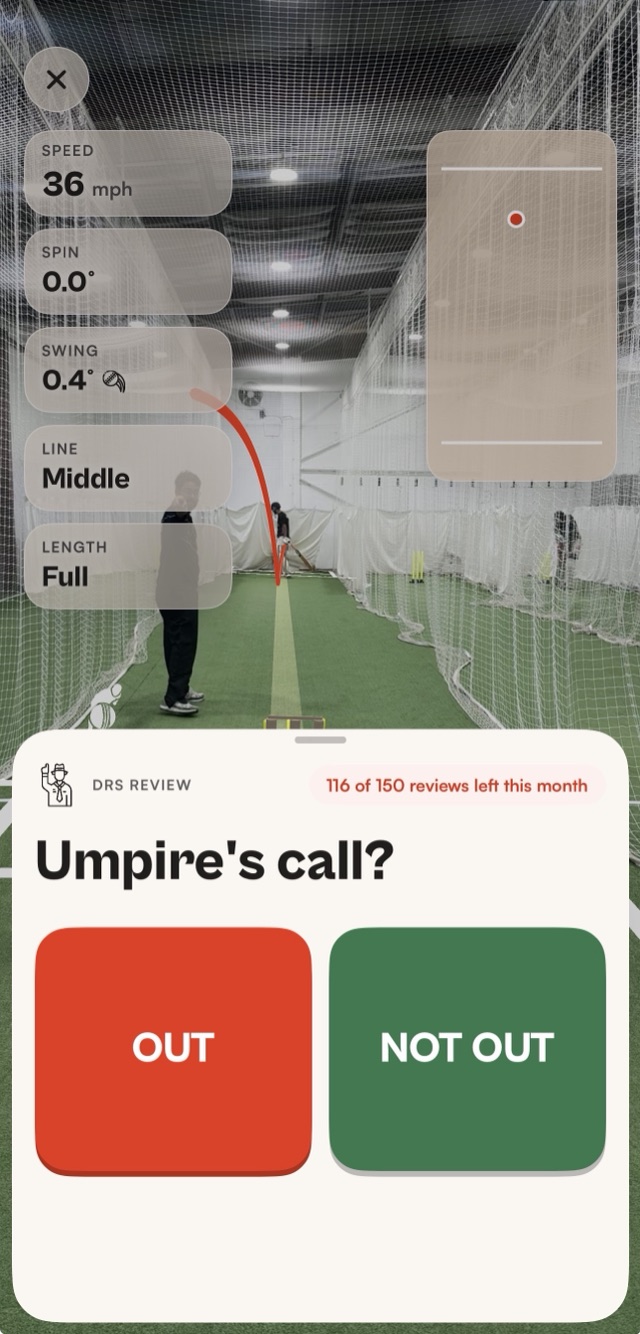
What does a DRS review check?
The same four things an LBW review looks at. Contact: what the ball hit first, pad or bat. Pitching: where it bounced. Impact: where it hit the pad, in line with the stumps or not. Wicket: whether its path, carried on past the pad, would have hit the stumps.
Each check fills in over the replay as the app works through it, so you can see why the decision went the way it did. In the example above, the ball hit the pad, pitched in line, struck in line and was hitting the stumps, so the decision was out.
Is there an LBW app for the nets?
Yes. YORKER AI is an LBW app that runs on one iPhone on a tripod. Appeal, make your call, and it checks contact, pitching, impact and wicket on that ball, then gives the decision with a 3D replay. Think of it as a third umpire app for the nets.
You don't have to review a ball the moment it's bowled. Every ball in the session can be reviewed, so you can carry on bowling and settle the appeals at the end of a set, with the clip and the 3D replay of each one in front of you.
How does the DRS app know where the ball would have gone?
A neural network finds the ball in every frame, and the app builds a 3D scene of the net from the pitch and stumps. A physics simulation recreates the ball's 3D trajectory, bounce included, and for the wicket check carries it on past the pad to the stumps.
Our guide on how ball tracking works explains how one phone rebuilds a ball's path in 3D, and why a prediction gets less certain the further it has to travel.
What do I need to use the DRS app?
The same setup as any YORKER AI session: an iPhone 12 or later on iOS 18 or later, on a tripod behind the bowler's end, with both sets of stumps in view. Line up the stumps once at the start and every ball in the session can be reviewed.
The rest of the app comes with it: bowling speed, line, length, swing, spin and 3D trajectory on every delivery, and batting analysis of every ball the batter faced.
Read next
- Guide · 7 min readHow does ball tracking work in cricket?A neural network, a 3D scene of the pitch and a physics simulation.Read the guide
- Bowling speedTrack your bowling speedBowling speed, line, length, swing and spin on every ball.Read more
- Guide · 6 min readPhone tripod setup for the cricket netsWhere the tripod goes, how high, and the mistakes that spoil footage.Read the guide
Settle it in your next net
YORKER AI is coming to the App Store for iPhone. Join the waitlist and we'll email you when it's live.