For coaches and clubs
A cricket coaching app for the nets
Run your net as normal and let one iPhone on a tripod keep the record. YORKER AI tracks every ball each of your players bowls: bowling speed, line, length, swing, spin, release height, 3D trajectory and a clip. It groups the balls by bowler, saves every session, and you share them with your players in a Huddle.
What does a cricket coaching app do in the nets?
It keeps a record of every ball, so you can coach from what happened instead of what you remember. YORKER AI picks up each delivery on its own and gives it a bowling speed, line, length, where it bounced, swing, spin, release height, a 3D trajectory and a clip to watch back.
You still do the coaching. The app saves you the clipboard, the speed gun and the hunt through your camera roll for the one ball you wanted to show a player. Nobody has to tap the screen between balls, so you can keep your eyes on the bowler.
What you get on every ball
- Bowling speedRelease speed, in mph or km/h
- Line and lengthWhere it was heading and where it pitched
- Swing and spinSwing in the air and turn off the pitch
- ReleaseRelease height
- 3D trajectoryThe ball's flight in 3D, replayed from any angle
- ClipThe delivery on video, ready to share
Is it a cricket training app or a coaching app?
Both. Players use it to train on their own and follow their bowling speed, line and length session by session. Coaches use it to run a net with several players, keep a record of every ball and share sessions with the squad in a Huddle.
Can one phone cover a net with several bowlers?
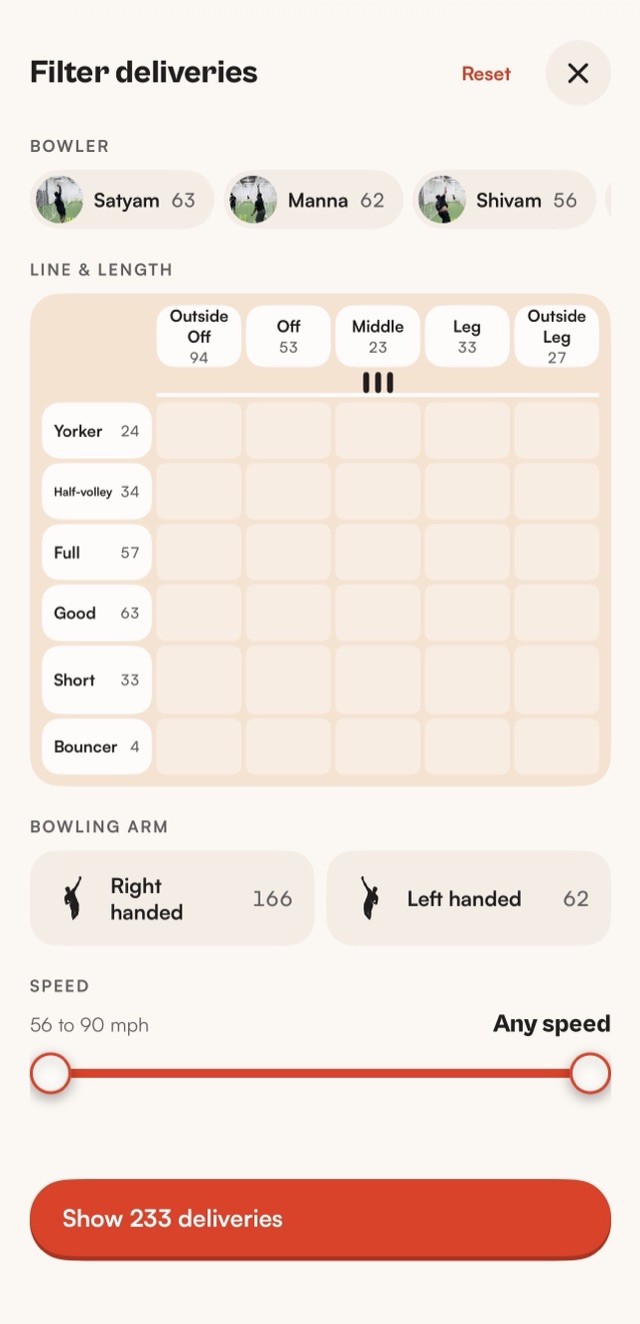
Yes. YORKER AI groups the balls by who bowled them, from the way each player runs in. Tag each group with a name once, then filter by bowler to see one player's bowling speeds, lines and lengths, or compare two players side by side.
That means you can run a normal net, with bowlers taking turns off their marks, and still come away with a separate record for each of them.
What does a coaching session look like?
Set the phone up once, about thirty seconds before the first ball, and leave it. Your players bowl as normal. When the net is over, every ball is in the session, grouped by bowler, with its numbers and its clip, ready to go through together.
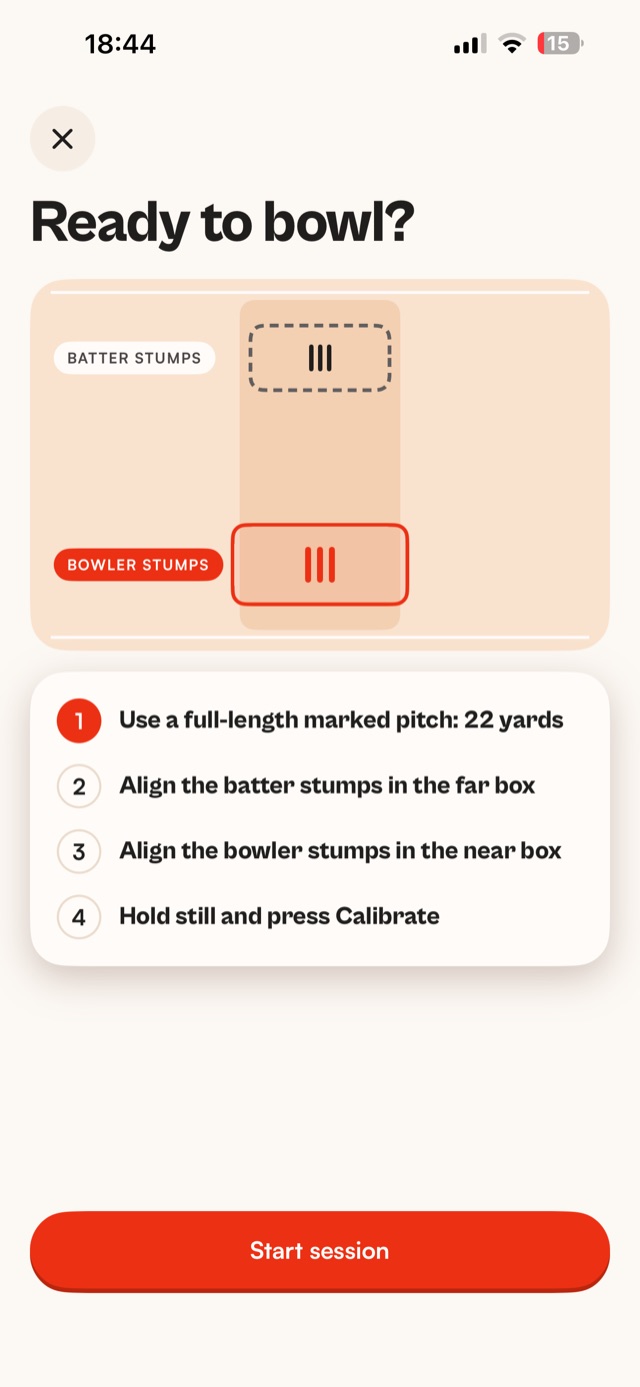
- Phone on a tripod behind the bowler's endIn line with the middle of the pitch, in portrait, with both sets of stumps in view.
- Line up the stumpsPut the batter's stumps in the far box and the bowler's stumps in the near box, then calibrate.
- Run the netEach delivery is picked up, measured and clipped on its own while you coach. Leave the phone alone until the net is over.
- Review with the playerFilter to one bowler, pull out the balls that matter and watch them back with the numbers on screen.
Our guide to phone tripod setup in the nets covers height, light and the mistakes that spoil footage.
How do batters use it in training?
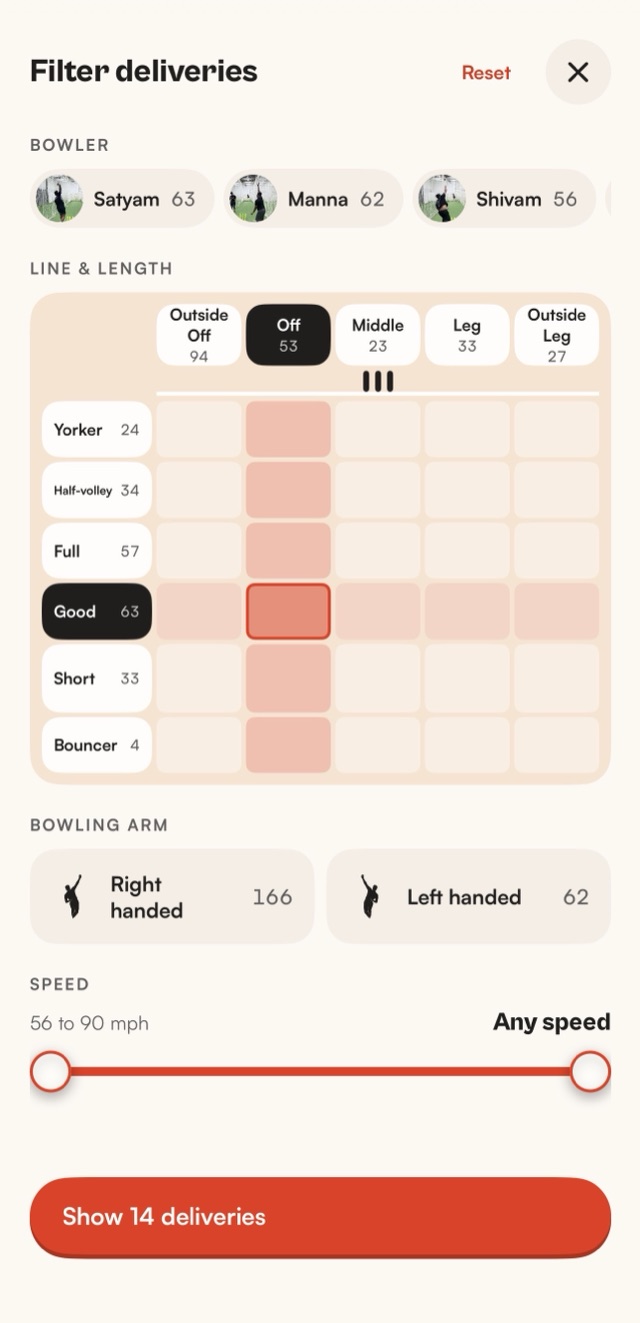
Every ball bowled to a batter is tracked too: bowling speed, line, length, swing, spin, 3D trajectory and a clip. Pick a bowler and a type of ball, say a good length outside off, and watch how your batter played each one. Full batting analytics are coming soon.
Our guide to batting analysis in the nets goes through the setup and what to look for.
How do I share sessions with my players?
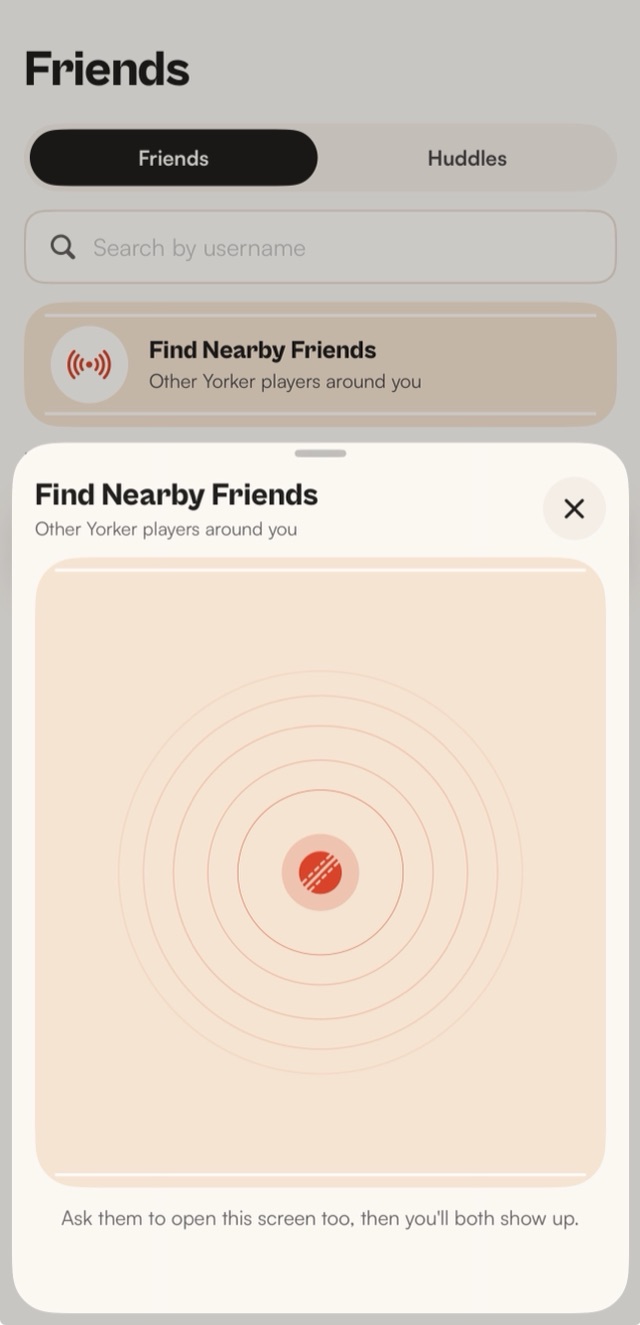
With a Huddle. Find players nearby in a tap, start a Huddle, and the sessions you share land in one place for the squad and the coach. Players can watch their own balls back after the net, and you can point them at the clips you want them to see.
Clips can also be cut into a film with the numbers burned in, which is an easy way to show a player the before and after of something you've been working on.
How do I review progress over a season?
Every session is saved, so sessions build into trends. Put this week's net beside last month's and compare a player's typical bowling speed, line and length, not just their quickest ball. A change that holds over several sessions is one worth keeping.
It also helps you test a change fairly. If a bowler is trying a new run-up, give it a few sessions and see whether the numbers moved, instead of judging it on how one ball felt.
Is it for academies and clubs?
Yes. YORKER AI is for bowlers, batters, coaches and clubs, from a solo net to a whole squad. Any net with a full-length pitch and stumps at both ends works, and every player on the squad can follow their own sessions through a Huddle.
It reviews LBW calls too. In a middle practice or a net game, make the call, then let DRS on your phone check pitching, impact and wicket and replay the review in 3D.
Does it work in an indoor net?
It works in any net with a full-length pitch and stumps at both ends, where the phone can see both sets of stumps from behind the bowler's end. Good, even light helps the footage, and our tripod setup guide covers what to check.
How can parents of junior cricketers use it?
Set it up at the net and let it keep the record, so your child can watch their balls back and share sessions with their coach. Leave the technique to the coach: the app shows what happened on every ball, and the coach decides what to work on.
How does it work?
A neural network trained on cricket footage finds the ball in every frame. The app builds a 3D scene of your net from the pitch and stumps, and a physics simulation recreates the ball's 3D trajectory. Every number is read from that trajectory.
You need an iPhone 12 or later on iOS 18 or later and a tripod. Tracking runs on the iPhone, so every ball is measured with or without signal, and the session syncs once you're back online. See how the bowling speed app works for the detail.
Read next
- Bowling speedTrack your bowling speed with YORKER AIHow the bowling speed app works, ball by ball.Read more
- Guide · 7 min readBatting analysis in the netsSet up a batting net, then find and watch the balls that trouble you.Read the guide
- Guide · 6 min readPhone tripod setup for the cricket netsWhere the tripod goes, how high, and the mistakes that spoil footage.Read the guide
- DRSDRS app for cricketMake the call, then let the ball settle it.Read more
Get it first
YORKER AI is coming to the App Store for iPhone. Join the waitlist and we'll email you when it's live.