YORKER AI is cricket analytics and insights for everyone.
AI auto clips and tags your deliveries for easy viewing, like Reels.
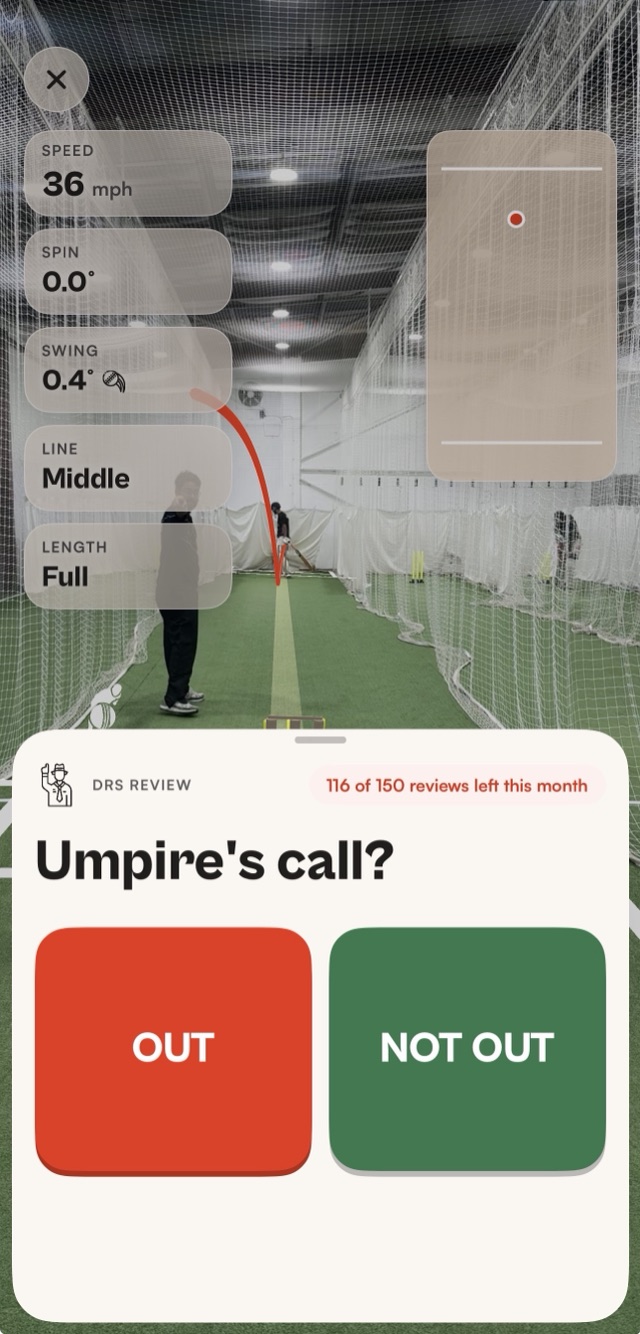
Bowling speed, line and length, live
Live in the nets: 72 mph, middle, full toss.
YORKER AI reads the whole ball: line, length, swing, spin and release, then lets you watch it back in 3D. For bowlers and for batters.
DRS on your phone.
End the dispute with your friends. Out or not out? Let YORKER AI tell you.
Make the call.
Out or not out? Give your decision before the review starts.
Watch it get checked.
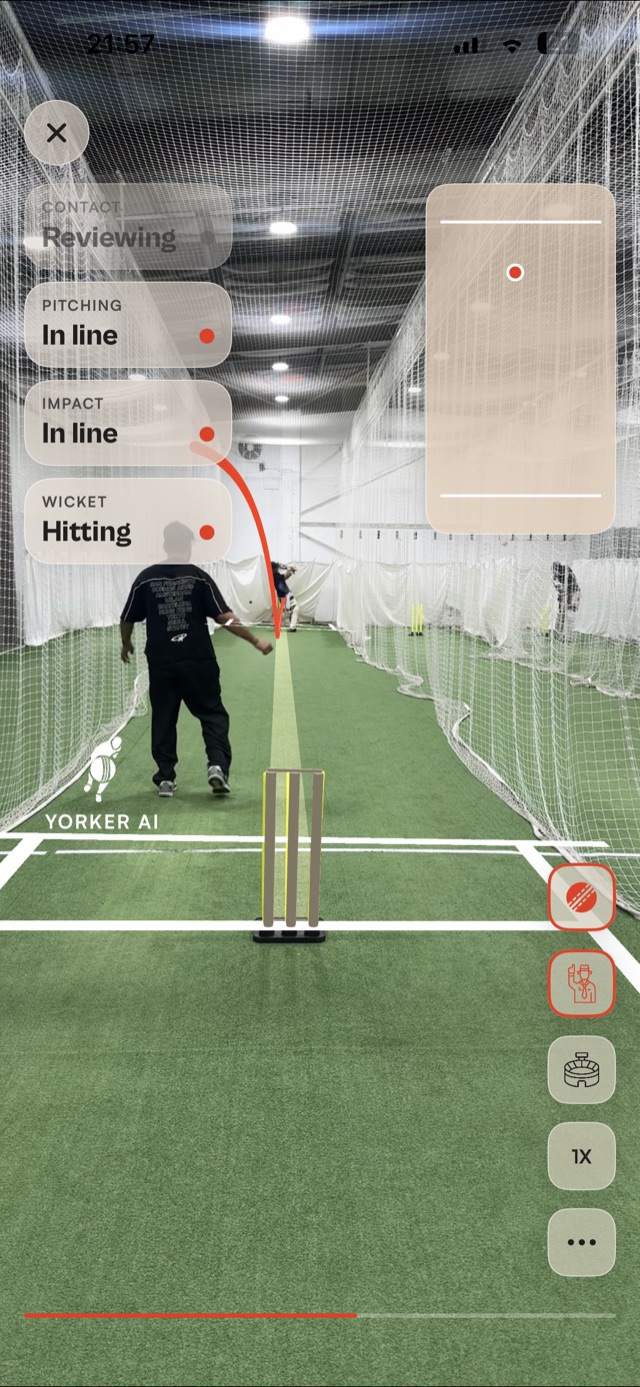
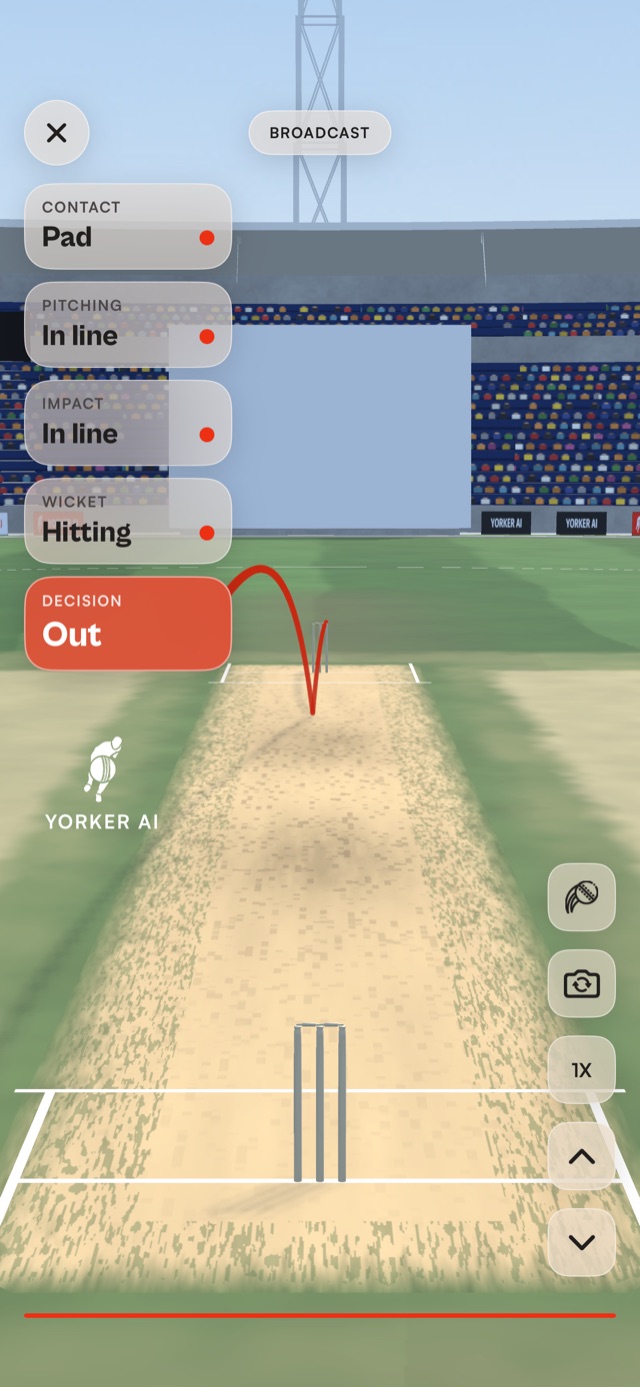
Contact, pitching, impact and wicket fill in over the replay, one at a time.
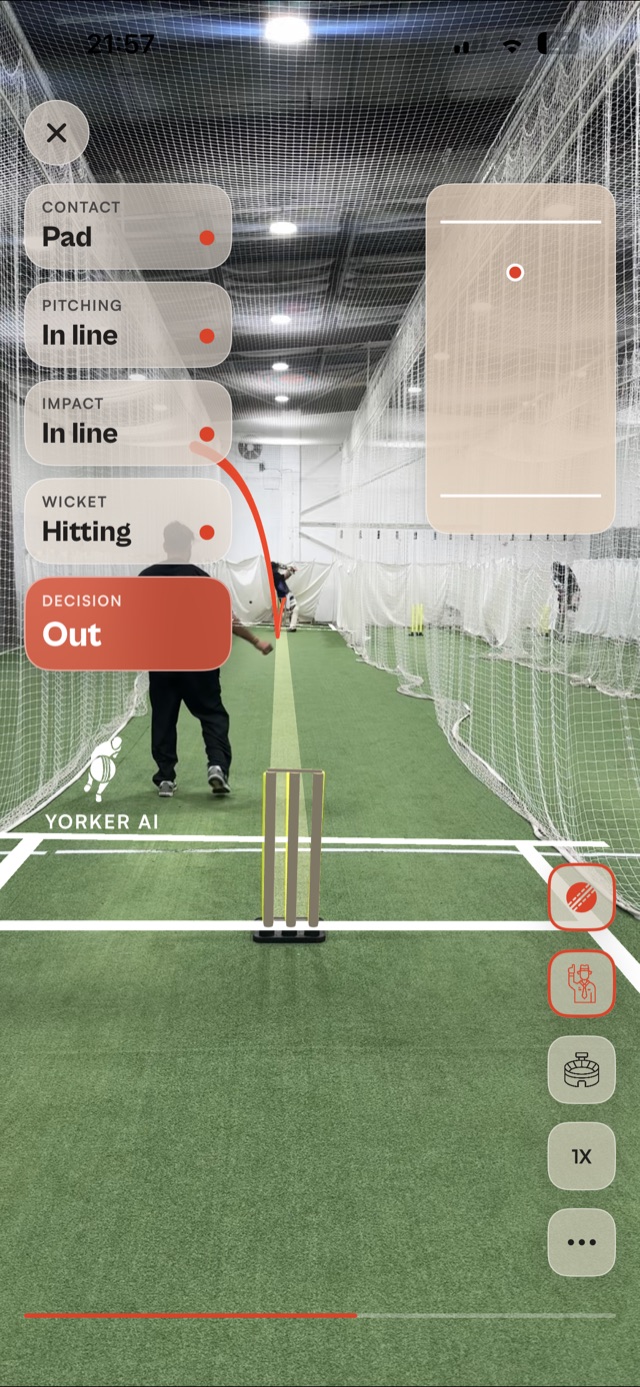
Get the decision.
The ball settles it. No more arguing in the nets.
See it in 3D.
The whole review replays in a 3D stadium, with the ball’s path drawn.
Your call, before the review
Each check fills in, one by one
The decision lands last
The same checks, in the stadium
A radar gun in your pocket.
Release speed is just one number. Track every aspect of your bowling across your training sessions.
Bowling speed, spin and swing on every ball
One session, ball by ball: 53, 60, then 63 mph.
Inside the app
Every ball, from every angle.
Replay any delivery in a 3D stadium and switch the camera, from high above to the batter’s end.
Turn your best balls into a film.
Pick clips from any session and cut them into one film to keep or share.
Your numbers, burned in.
Every film plays with the bowling speed, line and length on screen. Download it and send it anywhere.
Bowlers, find any delivery.
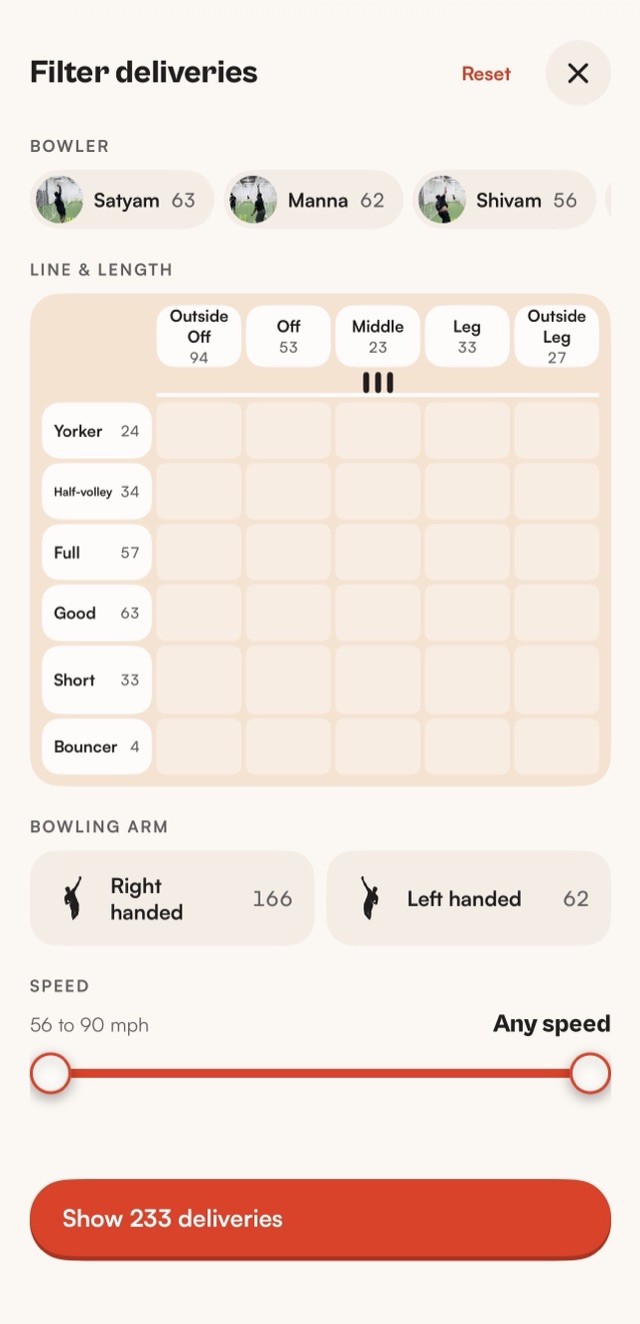
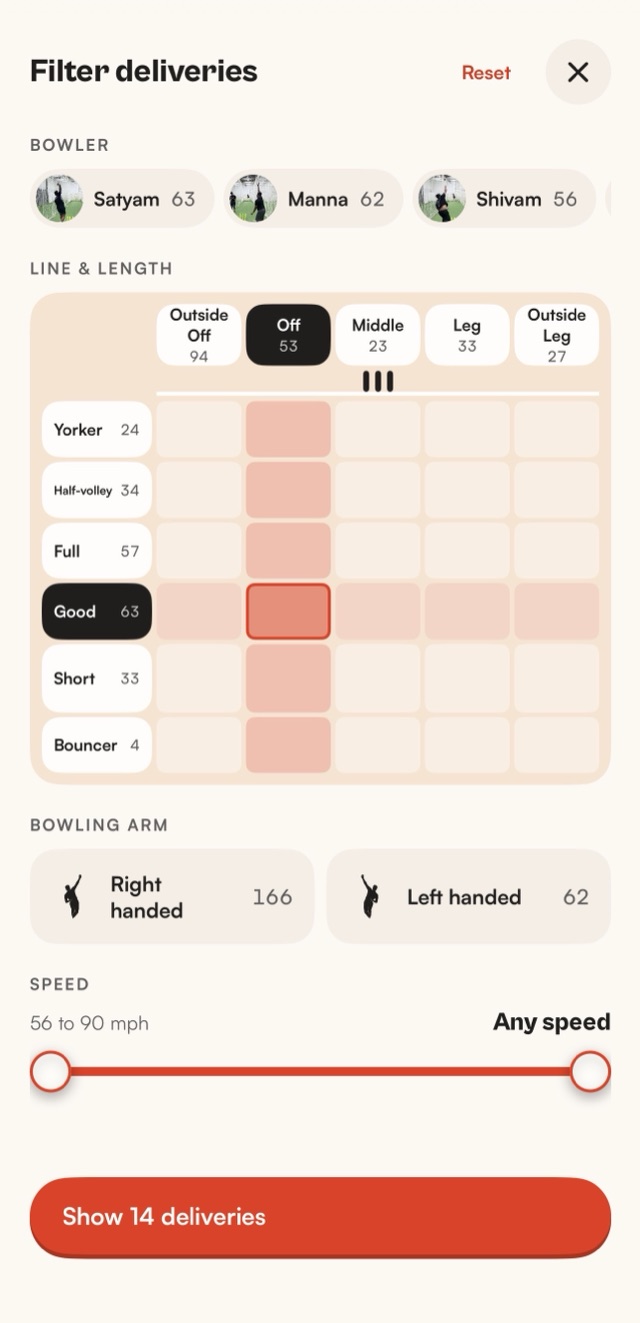
Filter by line, length, bowling speed and bowling arm to pull up exactly the balls you want to see again.
Batters, see how you play every bowler.
Record your own net, then pick a bowler and a delivery type, like a good length outside off, and watch every ball bowled to you.
Bring your squad.
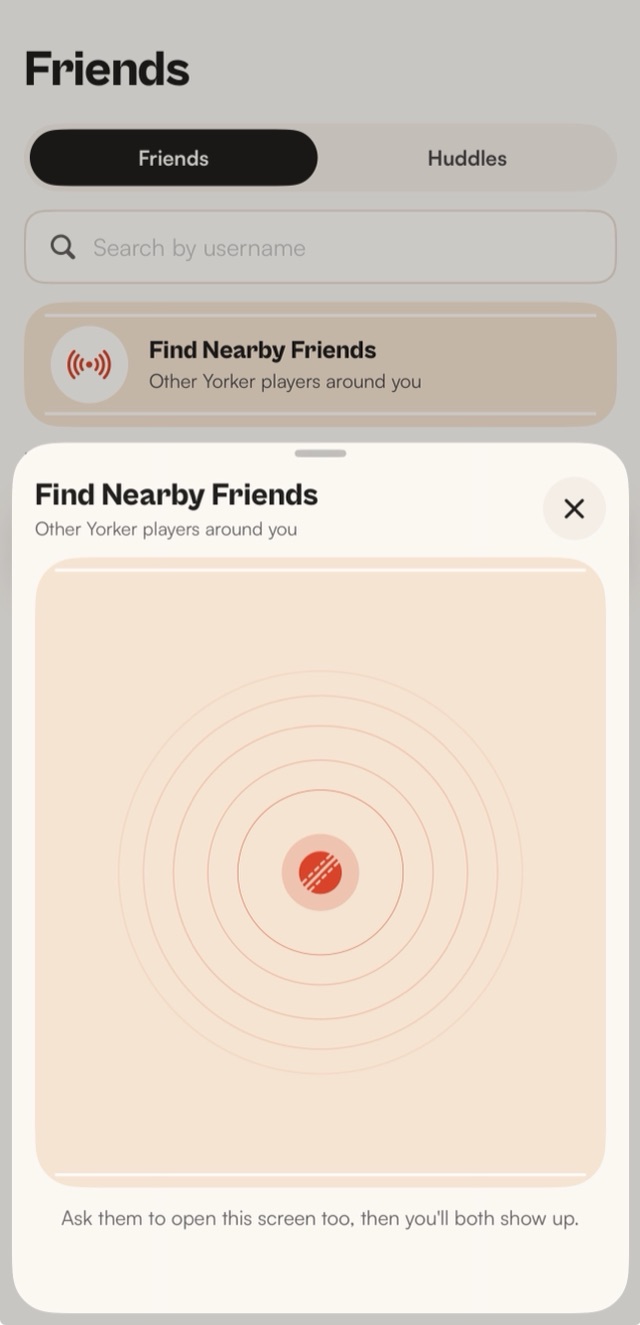
Find friends nearby in a tap, start a Huddle, and every session lands in one place.
Bowling speed, line and length in every view
Top bowling speed on every film
Numbers burned into the clip
Filter by bowler
Pick a line and length
Finds players around you
How it works
1
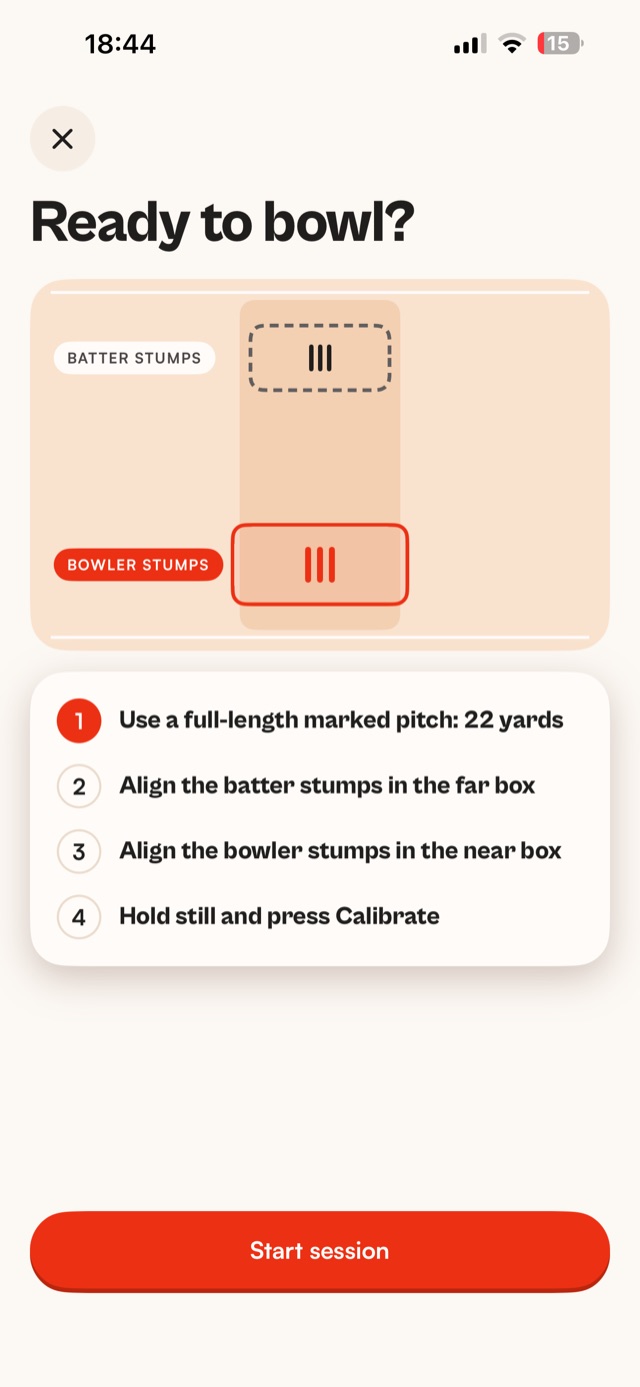
Put your iPhone on a tripod behind the bowler’s end, with both sets of stumps in view.
2
Line up the stumps on screen and start a session. It takes about thirty seconds.
3
Bowl or bat as normal, even with no signal. Every ball is tracked, clipped and measured, ready to watch back.
The setup screen, before the first ball.
A note from the founder
Hi, I’m Shivam.
I’ve played club cricket since I was a kid, and like a lot of cricket badgers I’m always chasing a little improvement each season. None of the apps out there gave me everything I wanted as a club cricketer, so, being an AI engineer too, I built one. As an off-spinner, I’d always wondered how much I actually turn the ball. Yorker has finally settled it… not much.
Now you can see how you bowl, how you bat, and how you’re improving over time, all from the phone you already have. I built it for my own cricket, and I hope my fellow badgers find it useful too.
See you in the nets,
Shivam Founder, Yorker
Frequently asked questions
Track your bowling speed with YORKER AI, the iPhone cricket app for bowlers, batters and coaches. It tracks bowling speed, line, length, swing, spin and 3D trajectory in the nets, with batting analysis for the balls you face. Here are short answers about setting it up, what it measures, DRS, working offline and when you can get it. For bowling itself, like how to bowl fast or how to measure bowling speed, read the guides.
Updated
How does YORKER AI measure my bowling speed?
With your iPhone behind the bowler’s end, a neural network trained on cricket footage finds the ball in every frame. The app builds a 3D scene from the pitch and stumps, and a physics simulation recreates the ball’s 3D trajectory. Your release speed is read from that trajectory.
What does it track on every ball?
Bowling speed at release, line and length, where the ball bounced, swing, spin and release height. You also get its 3D trajectory, which you can replay from any angle, and a clip cut for you. Batters see the same on every ball bowled to them.
What do I need to get started?
An iPhone 12 or later on iOS 18 or later, a tripod and a full-length pitch with stumps at both ends. Put the phone behind the bowler’s end, line up both sets of stumps and bowl. Setup takes about thirty seconds.
Does YORKER AI work offline?
Yes. Tracking runs on your iPhone, so every ball is measured as you bowl, with or without signal. You only need an internet connection to sync: your clips and results upload on their own once you’re back online.
Does it work for spin bowling?
Yes. YORKER AI measures spin as well as swing, so spinners get more than a bowling speed: line and length, where the ball bounced and release height too. Replay its 3D trajectory to see how far it turned.
How does DRS on your phone work?
You make the call first, out or not out. YORKER AI then reviews the ball, checking contact, pitching, impact and wicket one at a time, and gives the decision with a 3D replay.
Can batters use it?
Yes, with batting analysis. Record your session and every ball bowled to you is tracked: bowling speed, line, length, swing, spin and 3D trajectory. Pick a bowler and a type of ball, say a good length outside off, and watch each one back. Full batting analytics are coming soon.
When can I get YORKER AI?
Soon. YORKER AI is coming to the App Store for iPhone. Join the waitlist with your email address and we’ll email you the day it’s live. It’s for bowlers, batters, coaches and clubs, from a solo net to a whole squad.